A payment link can be enough if you sell a service, a deposit, or a few simple items. A full online store makes more sense if you sell many products, track stock, ship orders, or need customers to browse and buy more than one item at a time. Below, I’ll show you how to tell which setup fits your business, what each one costs, and when it’s time to switch.
If you sell one service for $150 or send invoices by text, email, or DMs, I’d start with a payment processor like Stripe, PayPal, or Square. You can get paid with $0/month upfront in many cases and skip the work of setting up a full storefront.
If you sell dozens or hundreds of SKUs, though, that simple setup runs out of road fast. You’ll need product pages, a cart, stock tracking, shipping rates, tax rules, and customer order history. That’s where a platform like Shopify or Turbify’s ecommerce solution earns its monthly fee.
Here’s the plain test I’d use: if you can explain what you sell in one sentence and send one link to get paid, use a payment processor. If your customers need to browse, compare options, pick sizes or colors, and buy multiple items, go with a full store.
The money side is straightforward too. A payment processor often starts at $0/month plus transaction fees. A full online store usually starts around $29/month, and self-managed setups like WooCommerce often land around $20 to $100/month once you add hosting and plugins.
What matters most is not the monthly fee. It’s the time you spend doing work by hand. If you’re matching payments to orders, checking stock in spreadsheets, or figuring out shipping one order at a time, the cheap setup is no longer the low-cost setup.
A payment processor handles the money. A full online store handles the store. That means catalog pages, cart flow, discounts, tax math, shipping, and order tracking all live in one place instead of in your inbox and notes app.
I’d use a payment-only setup for:
- Consulting sessions
- Deposits
- Event tickets
- Donations
- A small set of custom orders
- Sales through Instagram, Facebook, or WhatsApp
I’d move to a full store for:
- Physical products
- Size and color variants
- Repeat buyers
- Multi-item carts
- Shipping to different states
- Stock across online and in-person sales
One number should get your attention: moving later can cost $5,000 to $30,000. That doesn’t mean you should overbuy now. It means you should start small if your sales are simple, but switch before manual work starts cutting into your margins.
If you’re not technical, I’d keep your setup hosted. That means the provider handles updates, checkout security, and PCI compliance – the payment-card rules for handling card data. It keeps your job focused on selling, not fixing website parts.
If you want everything under one roof, Turbify is worth a look. It puts hosting, domains, email, and ecommerce in one place, which can cut down on tool sprawl and back-and-forth.
My bottom line: start with the lightest setup that fits the orders you have right now. Then upgrade when carts, stock, shipping, or taxes start turning into weekly manual work.
Your next step is simple: list your product count, average order type, and hours spent each week on order admin. If the list is short, use a payment processor. If that admin time is climbing, move to a full store now.
What Can a Payment Processor Do on Its Own?
A payment processor handles the money part. Tools like Stripe, PayPal, and Square move payment from your customer to your account, and they often include checkout in the same tool. For many small businesses, that gives you a fast way to get paid without building a full online store.
When a simple checkout link or button is enough
A checkout link or buy button is enough when you just need to take payment fast. A payment link sends people to a secure checkout page, and a buy button adds checkout to a page, post, or site you already have. [1]
Hosted checkout pages can also collect a few extra details, like size or color, without turning the whole setup into a store. [1] That keeps things simple for you and easy for your customer.
This works well if you sell services, take deposits, register attendees, accept donations, or sell a small number of products. [1][3] It also works well when you sell through Instagram, WhatsApp, or Facebook messages instead of a full website. [1][3]
If that sounds like your business, start with a payment link or buy button and test it with real customers this week.
What you give up with a payment-only setup
A payment-only setup starts to break once people need to browse, compare, or buy several items at once. That’s where the cracks show.
You don’t get a shopping cart, a product catalog, or the usual add-to-cart flow. Inventory, variants, customer accounts, order history, shipping rates, and tax calculations usually stay manual. [1][2][3][4][8]
That means more back-and-forth for you. If you sell shirts in three sizes and four colors, or if customers often buy two or three items in one order, manual work piles up fast.
When that starts happening, move to a full online store. That’s the point where the extra store features stop being nice to have and start saving you time.
What Does a Full Online Store Add?
A full online store takes over the parts of selling that get messy fast. It puts browsing, cart, checkout, inventory, shipping, taxes, and order tracking in one place. [2][7]
That matters when payment links and simple checkout buttons stop covering the day-to-day work. Once you have more products, more orders, or more places to sell, the extra tools save time and cut mistakes.
Features that matter once you sell more items or channels
The big win is automation. A full store tracks each size and color at the SKU level, stops overselling, and syncs stock across your website, marketplaces, and in-store systems. [4][3]
That’s a big deal if you sell a shirt in five sizes and three colors. Without SKU-level tracking, it’s easy to sell an item you no longer have.
A full store also handles the jobs that pile up with physical products and repeat buyers. That includes real-time shipping rates based on weight and destination, sales tax calculations by state and jurisdiction, coupons, abandoned cart recovery, and customer accounts with order history. [4][3]
If you expect fast growth, start on a full ecommerce platform now. Moving later can cost money, take time, and create a lot of extra work.
Why setup and support matter for non-technical owners
Hosted platforms are the right choice for most non-technical owners. They handle security, updates, and PCI compliance – the payment card rules that help keep checkout data safe – for you. [7][6][9]
Self-managed platforms like WooCommerce give you more control, but they also hand more work to you. Real monthly costs often end up around $20 to $100 per month once you add hosting and the extensions most stores need. [7][6][9]
Turbify puts hosting, domains, email, and ecommerce in one platform. That makes it simpler to manage if you don’t want to piece together four or five separate tools.
Next, compare the tradeoffs side by side.
Payment Processor vs. Full Online Store: A Side-by-Side Comparison
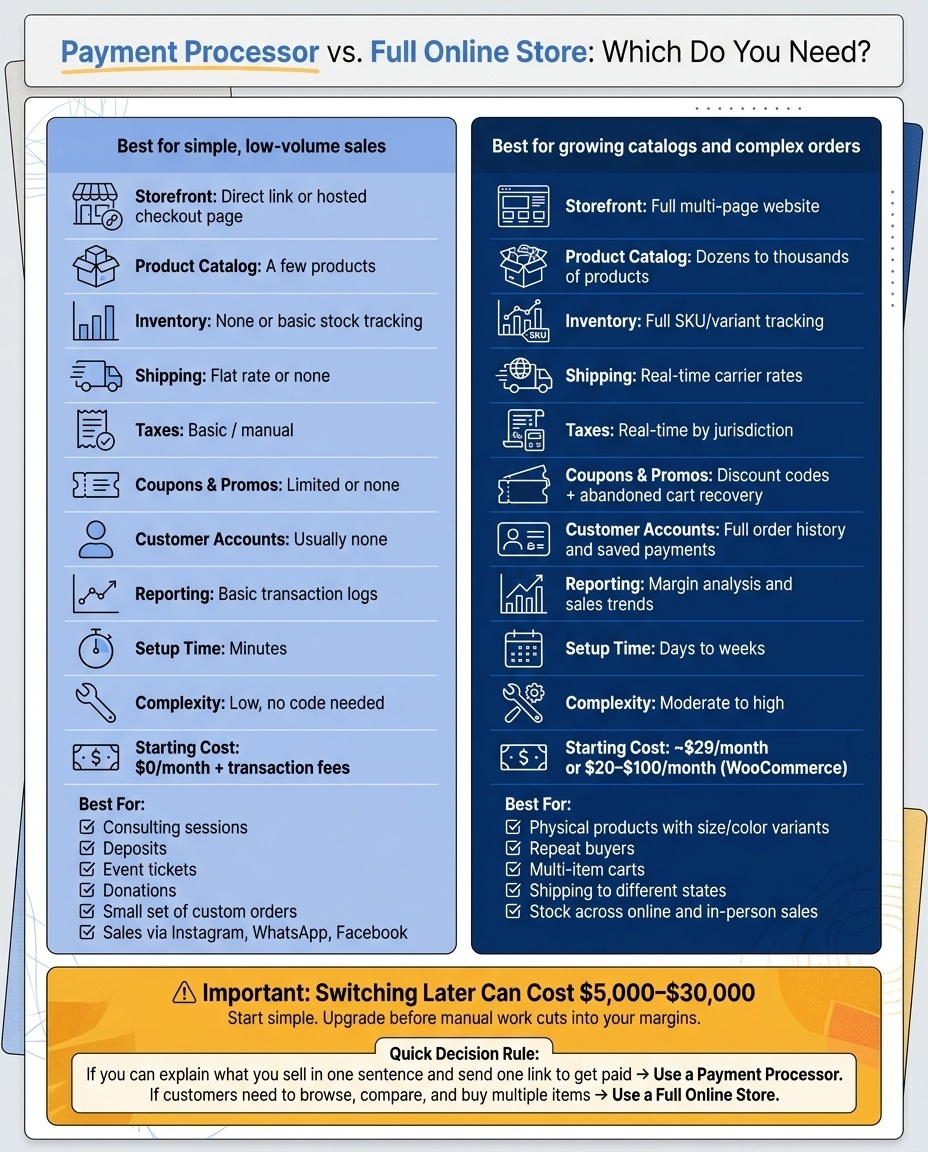
Payment Processor vs. Full Online Store: Which Do You Need?
Compare the tradeoffs at a glance
Start with the parts that change how you sell day to day. Catalog size, shipping, taxes, and customer accounts will tell you pretty fast which setup fits your business.
The table below shows the difference in plain terms. If both options still seem close, compare the total cost next.
| Feature | Payment Processor (Link/Button) | Full Online Store |
|---|---|---|
| Storefront | Direct link or hosted checkout page | Full multi-page website |
| Product Catalog | A few products [3] | Dozens to thousands of products [3] |
| Inventory | None or basic stock tracking | Full SKU/variant tracking |
| Shipping | Flat rate or none | Real-time carrier rates |
| Taxes | Basic/manual | Real-time by jurisdiction |
| Coupons & Promos | Limited or none | Discount codes and abandoned cart recovery |
| Customer Accounts | Usually none | Full order history and saved payments |
| Reporting | Basic transaction logs [4] | Margin analysis and sales trends [4] |
| Setup Time | Minutes [1] | Days to weeks [1][3] |
| Complexity | Low – no code needed | Moderate to high |
Look at total costs in U.S. dollars, not just monthly fees
Look at the full monthly spend, not just the sticker price. A low monthly fee can still cost you more if you’re doing taxes, shipping, and order follow-up by hand.
Stripe starts at $0/month plus transaction fees. Shopify starts at $29/month plus transaction fees. WooCommerce is free upfront, but most stores end up spending $20 to $100/month on hosting and maintenance [5][6].
The bigger risk is switching later. If you outgrow a simple setup, migration can run $5,000 to $30,000 [4].
Use three numbers to make the call: total monthly cost, number of orders, and hours of manual work each week. If a payment link handles what you sell, keep it simple. If you’re juggling many products, shipping rules, and tax rules, move to a full store before the work piles up.
Which Option Fits Your Business?
Pick the setup that matches how you sell right now. If your orders are simple, keep it simple. If your catalog and order flow are getting messy, move to a full store before admin work starts eating your time and profit.
Choose a payment processor when you sell one-off services or a few simple products
A payment processor with a payment link or hosted checkout works best when your sales are simple. Think one service, a few custom orders, or a small catalog with no shipping rules and no stock tracking to manage.
This setup is a good match for freelancers, service businesses, and creators. You can send payment requests through SMS, WhatsApp, or email and start taking money fast, without building a full storefront [1]. Hosted checkout is a smart middle ground when you want to test demand before spending money on a bigger platform [1][2].
If you can explain your offer in one sentence, a payment processor is usually enough. Start there if speed matters more than store features.
Choose a full online store if you need more tools to run orders
Use a full online store when your product line is growing. Once you have dozens of products or several variants, a payment-link setup gets hard to manage fast [3][4].
At that point, you’re often doing too much by hand. You end up tracking stock in spreadsheets, matching payments to orders, and figuring out shipping one order at a time. A full store handles those jobs for you.
Features like real-time shipping rates, tax calculations, inventory tracking, customer accounts, and discount codes stop being nice extras. They become part of day-to-day operations as order complexity grows [4][3].
If customers need to browse a catalog and come back to buy again, a full online store is the right move. Make the switch before manual work starts cutting into your margins.
What to Do Next If You’re Ready to Sell Online
Start simple now and upgrade when you need more
Pick the lightest setup that handles the orders you have right now. That keeps costs down and gets you selling faster.
Start with the lightest tool that fits today’s orders, then move to a full store when carts, inventory, taxes, or product pages start turning into manual work. That’s usually the point where a simple setup stops saving time and starts eating it.
A mid-growth move to a full ecommerce platform can cost $5,000 to $30,000 [4]. That’s why starting small makes sense. You avoid paying for tools you don’t need yet, and you leave yourself room to grow.
Your next step: use the comparison above and choose the simplest option that covers today’s sales.
How Turbify can help you pick the right setup
If you want to keep things in one place, Turbify gives you hosting, domains, email, and ecommerce on a single platform. That means fewer moving parts and less back-and-forth between tools.
For a small business, that can make setup and day-to-day work a lot easier. You can start with what you need now and keep the same system as your store grows.
Your next step: look at Turbify if you want one place to run your site, email, and online sales.
FAQs
How do I know when a payment link is no longer enough?
Payment links work for simple sales. Once you’re selling more than one or two straightforward items, a full online store is the better move.
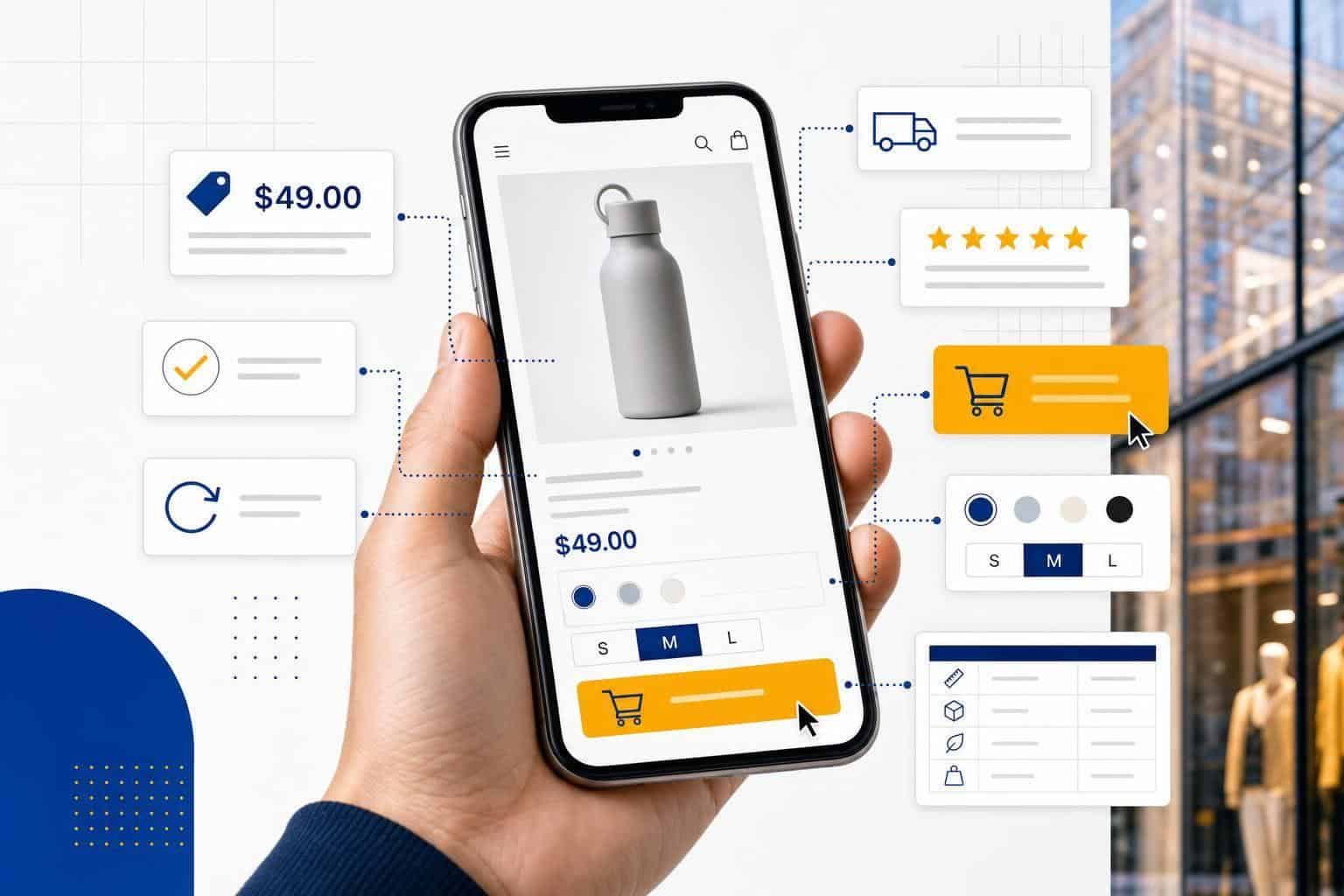
Here’s the line in the sand: if you need a product catalog, inventory tracking, item options like size or color, or a cart that lets customers buy several things at once, payment links start to feel clunky fast.
The same goes for back-end tasks that eat up time. If you need automatic tax calculation, live shipping rates, customer accounts, or promos like gift cards and loyalty programs, you’ve outgrown payment links.
At that point, switch to a store platform that handles those jobs for you instead of patching them together by hand.
Can I sell both services and products without a full store?
Yes – you can sell products or services without building a full online store. If all you need is a way to collect payment, simple checkout tools like payment links or hosted checkout pages can do the job.
This setup makes the most sense when you sell one item, a small set of offers, or a few fixed-price services. It starts to fall short when you need full storefront features like a product catalog, shopping cart, inventory tracking, customer accounts, coupons, or automatic shipping and tax handling.
If that sounds like your setup, start with a simple checkout option first. It’s the fastest way to get paid without taking on more site setup than you need.
What should I track before upgrading to an online store?
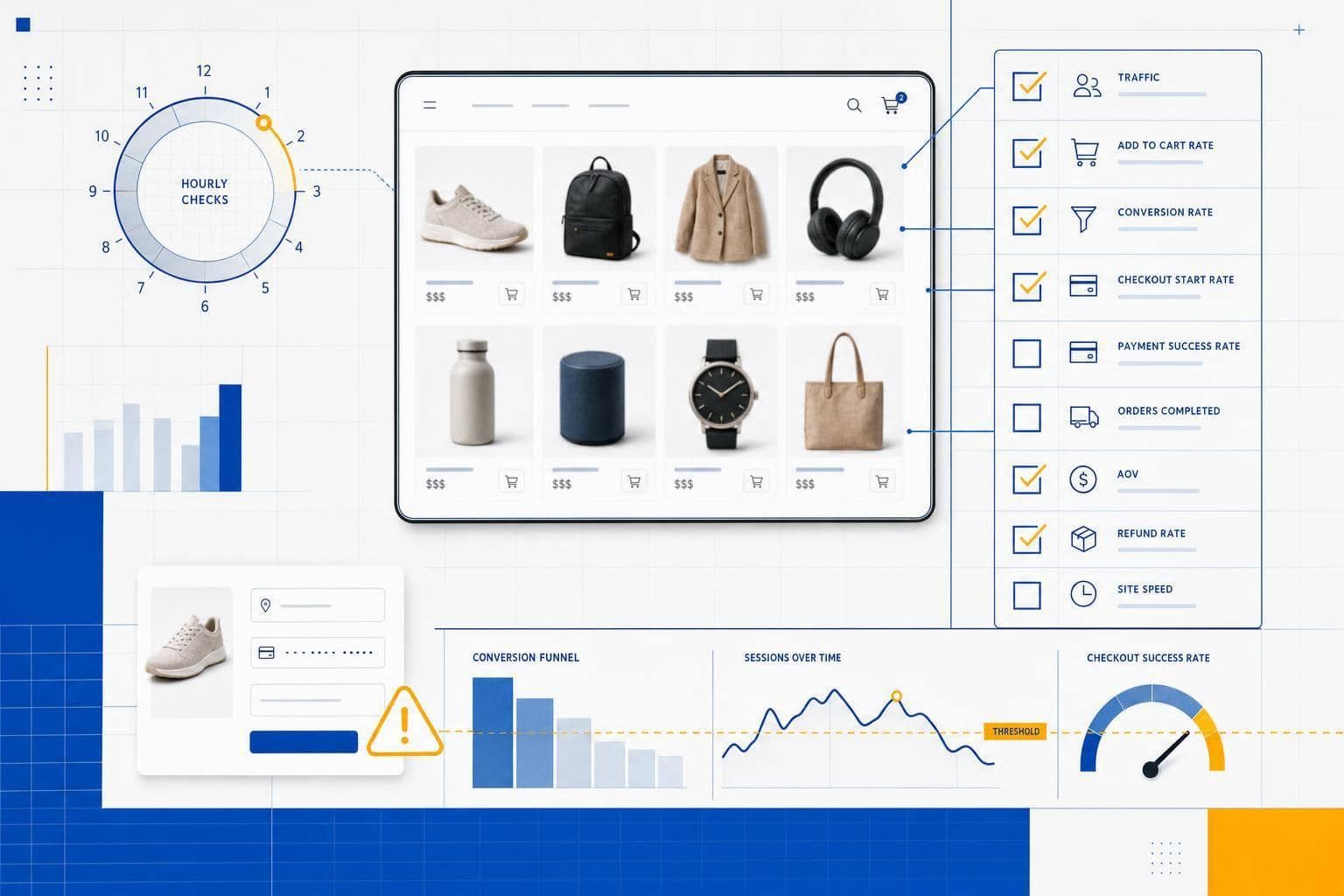
Track the numbers before you upgrade. Look at conversion rate, traffic sources, and customer behavior so you can tell if your current setup is slowing sales or just needs a few fixes.
Then write down what you need in plain terms. Include your budget, product count, inventory needs, and how messy your shipping or tax rules are.
A small pilot is the best way to spot trouble early. Test everyday tasks like inventory updates, refunds, and discount codes before you move the whole store.
Keep your next few years in view while you do this. If you expect more products, more orders, or more sales channels, make sure the new platform can handle that before you migrate.